Staff Selection Commission (SSC) candidates across India regularly run into the same handful of technical and procedural problems — a wrong city on the City Intimation Slip, an OTP that never arrives, an admit card with an error, or an exam that clashes with another exam on the same date. What most candidates don’t have is a single place with the exact fix for each problem and the correct SSC office to email, verified directly from official sources.
This guide covers every major SSC candidate problem — OTR/login/OTP issues, application correction, exam slot booking and city/centre problems, admit card errors, Document Verification (DV) issues, and result problems — each with clear steps and a ready-to-copy draft email, plus the complete, cross-checked contact directory for SSC Headquarters and all 9 regional offices.
Quick Reference: Which SSC Regional Office Handles Your State
| Region | States/UTs Covered |
|---|---|
| Northern Region (NR) | Delhi, Rajasthan, Uttarakhand |
| Central Region (CR) | Bihar, Uttar Pradesh |
| Eastern Region (ER) | Andaman & Nicobar Islands, Jharkhand, Odisha, Sikkim, West Bengal |
| Western Region (WR) | Dadra & Nagar Haveli and Daman & Diu, Goa, Gujarat, Maharashtra |
| Southern Region (SR) | Andhra Pradesh, Puducherry, Tamil Nadu, Telangana |
| North Western Region (NWR) | Chandigarh, Haryana, Himachal Pradesh, Jammu & Kashmir, Ladakh, Punjab |
| Karnataka Kerala Region (KKR) | Karnataka, Kerala, Lakshadweep |
| North Eastern Region (NER) | Arunachal Pradesh, Assam, Manipur, Meghalaya, Mizoram, Nagaland, Tripura |
| Madhya Pradesh Region (MPR) | Madhya Pradesh, Chhattisgarh |
Your region is determined by your exam centre/application details, not necessarily your home state — check your admit card or application form for the exact region handling your case.
Also Visit : SSC CGL Exam Date 2026 and Exam City Slip
SSC Exam Date Clashing With Another Exam
Common symptoms: Your SSC exam date falls on the same day as another SSC exam, or the same day as a different recruitment/competitive exam (state PSC, banking, railways, etc.) that you’re also appearing for.
What to do first:
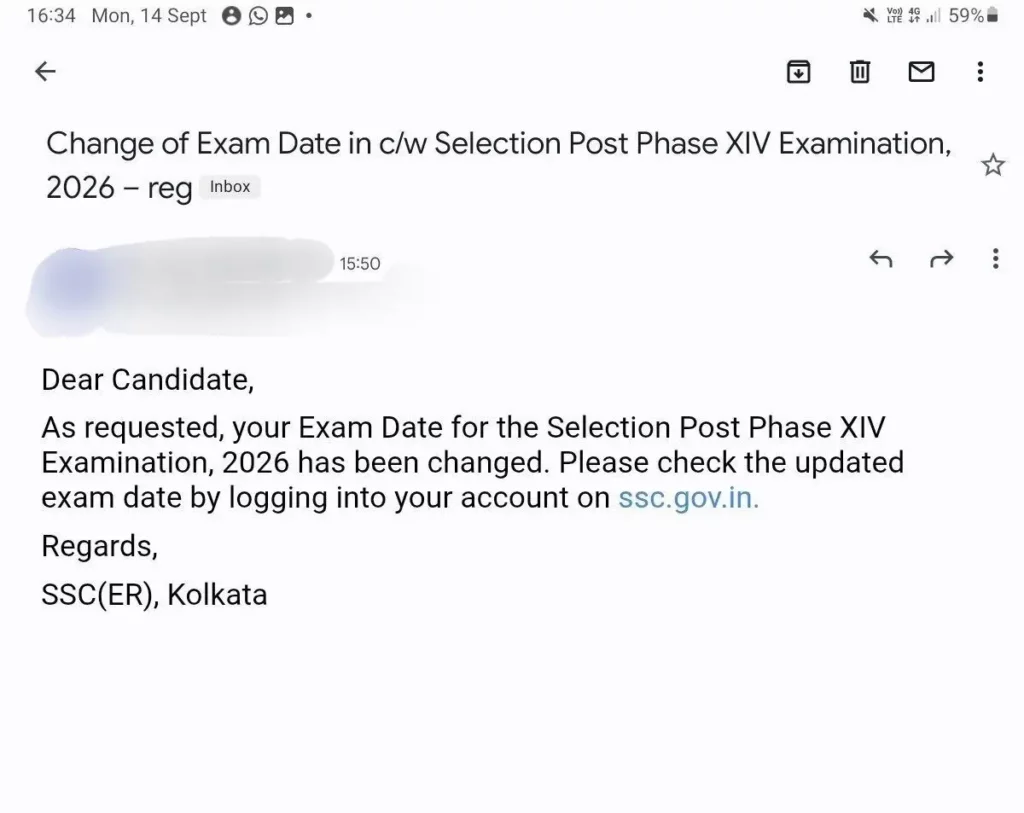
- Check if SSC itself has scheduled two of its own exams on the same date for which you’re eligible/registered — this sometimes happens across different exam cycles (e.g., a Tier-II of one exam falling on the same day as a fresh CBT of another). SSC occasionally revises shift/date allocation on request in such genuine internal clashes.
- For a clash with a non-SSC exam, understand upfront that SSC is under no obligation to reschedule around another organization’s exam calendar — this request is granted only in rare, exceptional cases, and only if SSC’s own notice for that exam mentions any such provision.
- Act early — this kind of request needs to reach SSC well before the exam date, ideally as soon as both exam dates are known to you, not days before the exam.
- Gather proof of the other exam (admit card, official notice) before writing in — a clash claim without proof is very unlikely to be considered.
- If no rescheduling is possible, you’ll have to choose which exam to prioritize — SSC will not hold a seat for you if you skip your allotted slot.
Draft Email — Exam Date Clash Issue:
To: [Your Regional Office Email — see Contact Directory]
Subject: Exam Date Clash — [Your Full Name] — [SSC Exam Name] — Registration No. [Number]
Respected Sir/Madam,
I am writing to bring to your notice a genuine clash between my SSC [Exam Name] examination scheduled on [Date] and [another SSC exam / the (Name of Other Exam) conducted by (Organization)], also scheduled on the same date, [Date].
Details:
Full Name: [Your Name]
Registration/Roll Number: [Number]
Registered Mobile/Email: [Details]
SSC Exam & Date in Clash: [Exam Name, Date, Shift/Time if known]
Other Exam Details: [Name of Exam, Conducting Body, Date, Shift/Time — attach proof]
I request you to kindly examine the possibility of allotting an alternate date/shift for my SSC examination, given this genuine and unavoidable clash. I have attached supporting documents (admit card/notice for the other exam) for your reference.
Thank you.
[Your Full Name]
[Your Contact Number]
[Attachments: admit card/notice of the other exam]
SSC OTR, Login, OTP & Password Issues
Common symptoms: OTR (One Time Registration) not completing, login failing with correct credentials, OTP not arriving on email/mobile during registration or Aadhaar verification, forgotten username/password, account showing as locked.
What to do first:
- Confirm you’re using the new SSC website (ssc.gov.in) — an OTR created on the old website will not carry over.
- Check spam/junk folders for the OTP email, and confirm your registered mobile number has network signal and isn’t on DND for transactional SMS.
- Use the “Forgot Password” link on the login page with your registered email/mobile — do this before writing to SSC, since most password resets are self-service.
- If OTP genuinely never arrives after multiple attempts (and enough time has passed), or your account shows locked without explanation, escalate to your regional office.
Draft Email — OTR/Login/OTP/Password Issue:
To: [Your Regional Office Email — see directory below]
Subject: OTR/Login Issue — [Your Full Name] — [Exam Name] — Registration No. [If Any]
Respected Sir/Madam,
I am writing to report a technical issue with [OTR registration / login / OTP receipt / password reset] on the SSC website (ssc.gov.in) for the [Exam Name] examination.
Details:
Full Name: [Your Name]
Registered Mobile Number: [Your Mobile Number]
Registered Email ID: [Your Email ID]
OTR/Registration Number (if generated): [Number, or “Not generated yet”]
Date(s) and time(s) issue occurred: [Details]
Exact problem faced: [Describe clearly — e.g. “OTP not received on registered mobile despite 5 attempts over 2 days”]
I request you to kindly look into this and assist in resolving the issue at the earliest, as the application deadline is [Date, if applicable].
Thank you.
[Your Full Name]
[Your Contact Number]
SSC Application Form, Fee Payment & Category Correction Issues
Common symptoms: Fee payment failed but amount deducted from bank account, unable to correct category/other details after final submission, application stuck in incomplete status despite payment.
What to do first:
- Check your bank statement and the SSC portal’s payment status page — failed transactions with deducted amounts are usually auto-refunded within 5-7 working days; wait this out before escalating.
- Corrections after final submission are only possible during the specific correction window SSC announces for that exam — check your exam’s official notice for these exact dates before assuming your details are locked forever.
- If the correction window has closed or the field you need to fix isn’t covered by it, you’ll need to write in directly.
Draft Email — Fee/Payment/Correction Issue:
To: [Your Regional Office Email — see directory below]
Subject: Application Fee/Correction Issue — [Your Full Name] — [Exam Name] — Registration No. [Number]
Respected Sir/Madam,
I am writing regarding an issue with my application for the [Exam Name] examination.
Details:
Full Name: [Your Name]
Registration Number: [Number]
Registered Mobile/Email: [Details]
Transaction ID/Reference Number (if fee-related): [Number]
Amount Deducted (if applicable): [Amount, Date]
Issue Description: [E.g. “Fee of Rs. [X] was deducted from my account on [date] but my application still shows as incomplete” OR “I need to correct my category from [X] to [Y] due to a genuine entry error, and the correction window has already closed”]
I request you to kindly verify this at your end and guide me on the next steps.
Thank you.
[Your Full Name]
[Your Contact Number]
SSC Exam Slot Booking, City Intimation
Common symptoms: Unable to book an exam slot, wrong or inconvenient city shown on the City Intimation Slip, wrong exam centre allotted.
Also Visit : RRB Paramedical Recruitment 2026 (Official Apply Link) 590 Posts
What to do first:
- For slot booking errors, try a different browser/device and a stable internet connection first — many slot-booking failures are portal-load-related and resolve on retry, especially outside peak booking hours.
- For city/centre issues, check if SSC has an official change-of-centre request window open for your exam — this is the only route for reallocation; requests outside this window are rarely entertained.
- For a genuine exam-date clash with another recognized competitive exam, some exams offer a change of exam date/centre facility in specific circumstances — check your specific exam’s notice for this provision, since it isn’t guaranteed for every SSC exam.
Draft Email — Slot Booking/City:
To: [Your Regional Office Email — see directory below]
Subject: City/Centre/Slot Booking Issue — [Your Full Name] — [Exam Name] — Roll/Registration No. [Number]
Respected Sir/Madam,
I am writing regarding an issue with my exam city/centre/slot booking for the [Exam Name] examination.
Details:
Full Name: [Your Name]
Registration/Roll Number: [Number]
Registered Mobile/Email: [Details]
City/Centre currently allotted: [Details]
Issue Description: [E.g. “My exam city intimation shows [City A], but I had opted for [City B]” OR “My SSC exam on [Date] clashes with [Other Exam Name] scheduled on the same date” OR “I am unable to complete slot booking despite multiple attempts on [dates]”]
I request you to kindly review my case and advise on the possibility of correction, given the circumstances explained above.
Thank you.
[Your Full Name]
[Your Contact Number]
SSC Admit Card Issues
Common symptoms: Admit card not generating/downloading, wrong name/photo/exam centre/category printed on the admit card, photo or signature mismatch flagged by the portal.
What to do first:
- Confirm the admit card download window is actually open (SSC announces this separately from the exam date) — a “not available” message before this window opens is expected, not a fault.
- Cross-check the details against exactly what you entered in your original application — if the error originated from your own entry, note this clearly since it changes what SSC can do.
- For a genuine SSC-side printing/data error (name, photo, or centre wrong despite correct application data), this needs urgent escalation since these usually must be fixed before the exam date.
Draft Email — Admit Card Issue:
To: [Your Regional Office Email — see directory below]
Subject: Admit Card Issue (URGENT — Exam on [Date]) — [Your Full Name] — Registration No. [Number]
Respected Sir/Madam,
I am writing to report an issue with my admit card for the [Exam Name] examination scheduled on [Exam Date].
Details:
Full Name: [Your Name]
Registration Number: [Number]
Registered Mobile/Email: [Details]
Issue Description: [E.g. “My admit card is not generating despite the download window being open” OR “My admit card shows an incorrect [name/photo/exam centre/category]” — describe exactly what is wrong and what it should be]
As my exam date is [Date], I request an urgent review and correction at the earliest possible time.
Thank you.
[Your Full Name]
[Your Contact Number]
SSC Document Verification (DV) Issues
Common symptoms: Need to request a change in DV date due to a genuine conflict, issues uploading a PwBD/disability certificate, scribe request process unclear.
What to do first:
- DV date changes are granted only in genuinely exceptional circumstances (medical emergency, another government exam clash, etc.) with supporting documentary proof — have this ready before writing in.
- For PwBD certificate upload issues, confirm your file meets the exact format/size specifications given in the exam notice (usually PDF, within a specified KB range) before assuming it’s a portal fault.
- Scribe requests must generally be indicated at the application stage itself, with the required certificate uploaded then — a late request after the window has closed is much harder to get approved, so raise it as early as possible.
Draft Email — DV/PwBD Certificate/Scribe Issue:
To: [Your Regional Office Email — see directory below]
Subject: Document Verification Issue — [Your Full Name] — [Exam Name] — Registration No. [Number]
Respected Sir/Madam,
I am writing regarding my Document Verification for the [Exam Name] examination.
Details:
Full Name: [Your Name]
Registration Number: [Number]
Registered Mobile/Email: [Details]
DV Date Allotted (if applicable): [Date]
Issue Description: [E.g. “I am unable to attend DV on the allotted date due to [genuine reason, with proof attached]” OR “I am facing an error while uploading my PwBD certificate in the specified format” OR “I require clarification on the scribe request process for my case”]
I have attached supporting documents for your reference. I request your guidance and assistance in resolving this matter.
Thank you.
[Your Full Name]
[Your Contact Number]
[Attachments: list what you’re attaching]
SSC Result Not Showing / Result-Related Issues
Common symptoms: Result declared but individual scorecard not showing, name missing from a list you expected to be on, unable to download result/marks via SMS or the website.
What to do first:
- Confirm the result has actually been declared for your specific exam and stage (Tier/Phase) — results for different tiers/posts under the same exam are often released on different dates.
- Try checking via both the website login and the SMS-based result-check facility (where available for that exam) before assuming an error.
- Keep your registration number, roll number, and the exact result notification reference ready when you escalate — this speeds up any lookup on SSC’s end.
Draft Email — Result Not Showing Issue:
To: [Your Regional Office Email — see directory below]
Subject: Result Not Showing — [Your Full Name] — [Exam Name] — Registration No. [Number]
Respected Sir/Madam,
I am writing regarding an issue with checking my result for the [Exam Name] examination, result declared on [Date, if known].
Details:
Full Name: [Your Name]
Registration/Roll Number: [Number]
Registered Mobile/Email: [Details]
Issue Description: [E.g. “My result/scorecard is not showing on the website despite the result being declared on [date]” OR “I am unable to retrieve my result via SMS”]
I request you to kindly verify my result status and assist in resolving this issue.
Thank you.
[Your Full Name]
[Your Contact Number]
Official SSC Contact Directory (Headquarters + All Regional Offices)
| Office | Address | Phone/Helpline | |
|---|---|---|---|
| SSC Headquarters | Block No. 12, CGO Complex, Lodhi Road, New Delhi – 110003 | Grievances via CPGRAMS portal | — |
| Northern Region (NR) | Block No. 12, 5th Floor, CGO Complex, Lodhi Road, New Delhi | enquirysscnr@gmail.com, rdsscnr@gmail.com | 011-24363343, 011-24367526 |
| Central Region (CR) | 34-A, Kendriya Sadan, Mahatma Gandhi Marg, Civil Lines, Prayagraj, UP – 211001 | Check ssccr.gov.in for current email | 0532-2460511, 0532-2460512 |
| Eastern Region (ER) | 1st MSO Building (8th Floor), Nizam Palace, 234/4, A.J.C. Bose Road, Kolkata – 700020 | contactsscer-dopt@gov.in | 033-2290-2230, 9477461228, 9477461229 |
| Western Region (WR) | Mumbai, Maharashtra (Pratishtha Bhawan, Maharshi Karve Road) | Check sscwr.net for current email | 7738422705, 9869730700 |
| Southern Region (SR) | 2nd Floor, EVK Sampath Building, DPI Campus, College Road, Chennai – 600006 | sscsr.tn@nic.in | 044-2825-1139, 044-2827-5568 |
| North Western Region (NWR) | Block No. 3, Kendriya Sadan, Sector 9, Chandigarh – 160009 | sscnwrgoi@gmail.com | 0172-2744366 |
| Karnataka Kerala Region (KKR) | 1st Floor, “E” Wing, Kendriya Sadan, Koramangala, Bengaluru, Karnataka – 560034 | enquiry.ssckkr@gmail.com | 080-25502520, 080-25520653 |
| North Eastern Region (NER) | Housefed Complex, Beltola-Basistha Road, Assam Sachivalaya, Dispur, Guwahati – 781006 | sscner.candidatecontact@gmail.com | +91 9531456804, +91 9435052556 |
| Madhya Pradesh Region (MPR) | Investment Building, LIC Campus-2, Pandri, Raipur, Chhattisgarh – 492004 | Check sscmpr.gov.in for current email | REQUIRES OFFICIAL CHECK — sources show slightly different numbers; verify the current number on sscmpr.gov.in before calling |
All contact details above were cross-verified against each region’s own official website. Where an email/phone couldn’t be confirmed consistently across sources (marked above), please verify on that region’s official website directly rather than relying on a possibly outdated number.
Important Links
| Resource | Link |
|---|---|
| Official SSC Website | ssc.gov.in |
| CPGRAMS (Centralized Public Grievance Redress and Monitoring System) | pgportal.gov.in |
| SSC Regional Network Page | ssc.gov.in/about-us/regional-network |
| For Any Educational Updates Join Telegram Channel | NotifyHere |
| For Any Educational Updates On Whatsapp | Join Whatsapp Channel |
| For Study Material Subscribe YouTube Channel | Subscribe NotifyHere |
FAQ
What is the SSC helpline number for candidates?
There’s no single national helpline — each SSC region has its own helpline number; check the Contact Directory above for your specific region.
How do I file a complaint with SSC (grievance portal/process)?
You can email your regional office directly using the templates above, or file a formal grievance through the CPGRAMS portal (pgportal.gov.in).
What should I do if my SSC admit card has wrong details?
Email your regional office immediately with your registration number and exact details of the error, marked urgent given your exam date.
How do I request an exam city change on SSC City Intimation Slip?
Check if a change-of-centre request window is open for your exam, and if so, submit your request through that facility or by emailing your regional office.
What if my SSC exam clashes with another exam on the same date?
Check your specific exam’s official notice for a change-of-date/centre provision, and email your regional office explaining the clash with proof of the other exam.
I’m facing an issue during SSC exam slot booking — what should I do?
Try a different browser and stable connection first; if the issue persists, email your regional office with screenshots of the error.
My SSC OTR (One Time Registration) isn’t working — how do I fix it?
Ensure you’re using the new ssc.gov.in website (not the old one), and if issues persist, email your regional office with the exact error details.
I forgot my SSC login password — how do I reset it?
Use the “Forgot Password” link on the SSC login page with your registered email/mobile before contacting SSC directly.
I’m not receiving the SSC OTP — what should I do?
Check spam folders and DND settings first; if the OTP still doesn’t arrive after multiple attempts, email your regional office with the exact times you tried.
My SSC fee payment failed but the amount was deducted — what now?
Wait 5-7 working days for an automatic refund; if it doesn’t happen, email your regional office with the transaction ID and deduction date.
Can I correct my category/other details after submitting the SSC application?
Only during the official correction window announced for that specific exam — check your exam’s notice for exact dates.
My SSC admit card isn’t generating — who do I contact?
First confirm the download window is open; if it is and the issue persists, email your regional office with your registration number.
What should I do if there’s a photo/signature mismatch issue on my SSC application?
Re-check your uploaded file against the exact format/size specifications in the exam notice; if correct and still flagged, email your regional office.
How do I request a Document Verification (DV) date change?
Email your regional office with a genuine reason and supporting documentary proof — DV date changes are granted only in exceptional circumstances.
Which SSC regional office should I contact based on my state?
Check the “Quick Reference” table at the top of this article to find which region covers your state.
Author’s Suggestion
Before emailing any SSC office, re-read the specific exam’s official notice for your problem first — many issues (correction windows, scribe requests, centre-change facilities) have a defined process and deadline stated right there, and an email sent after that window closes is far less likely to get resolved than one that follows the stated process on time.
Disclaimer
Contact details in this guide were cross-verified against each SSC regional office’s own official website as of 14 September 2026. SSC offices, emails, and phone numbers can change — always verify current contact details on the respective official website (ssc.gov.in or the regional office’s own site) before relying on this guide for an urgent matter.